Phase identification
Identify sample phases from diffraction patterns
Watch data import, pattern analysis and phase results to see how scientific analysis connects with AI guidance.
View the result image from the presentation ↗The NJUST Analysis and Testing Center compares iPowder with Bruker EVA, TOPAS and LEPTOS using identical raw data. The demonstrated cases show consistent results. Simpler workflows and AI guidance lower the barrier for undergraduate users, and the center has begun using iPowder in teaching.
The center compares phase identification, quantitative analysis, microstrain and stress. Different Bruker packages handle these tasks, while iPowder organizes the corresponding methods and automated workflows in one workspace.
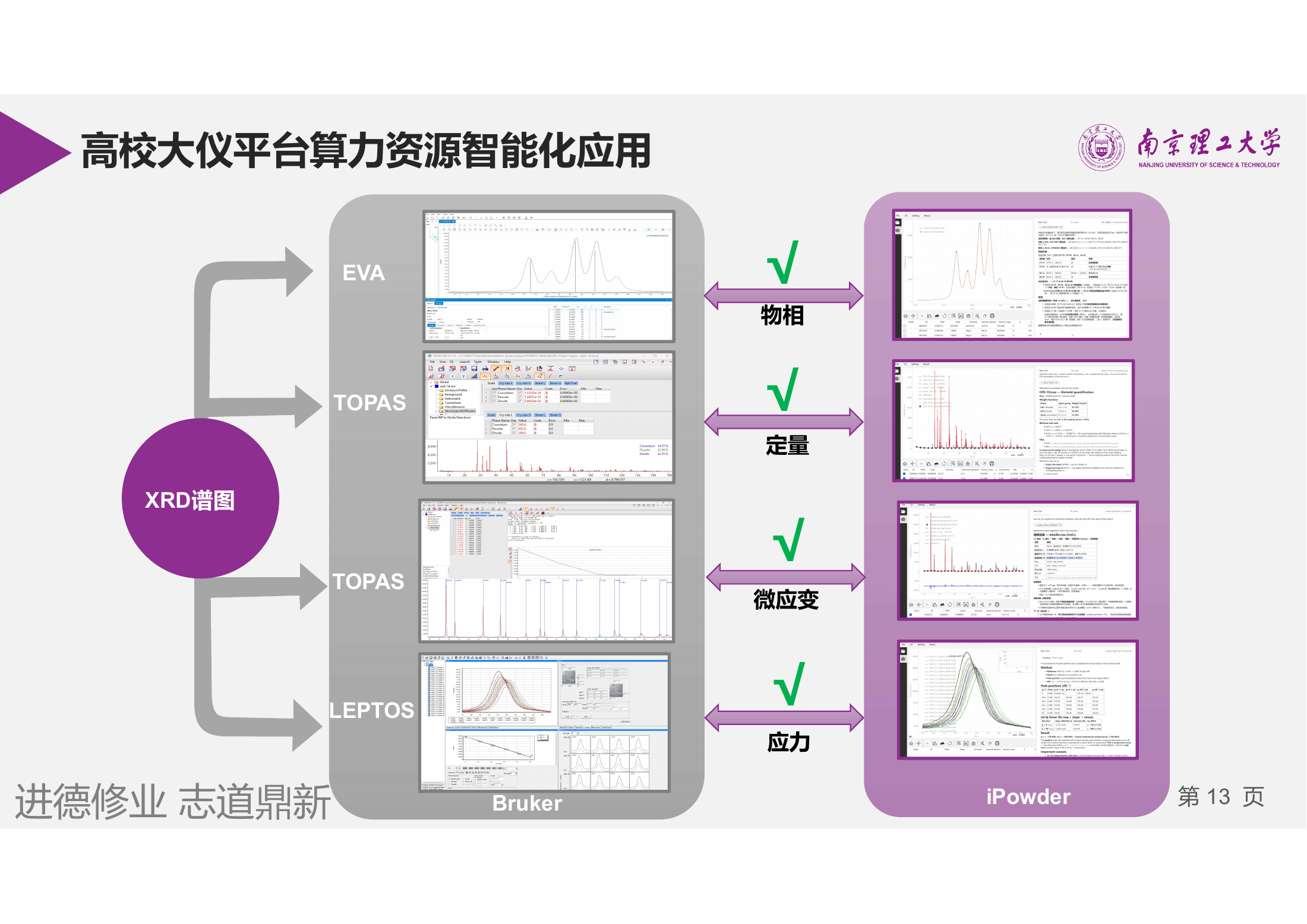
| Analysis task | Bruker software | iPowder capability |
|---|---|---|
| Phase identification | Bruker EVA | Search and identify phases; associate patterns with candidates |
| Quantitative analysis | Bruker TOPAS | Multiphase quantification through whole-pattern refinement |
| Microstrain analysis | Bruker TOPAS | Connect peak-profile and microstructure analysis to obtain relevant parameters |
| Macroscopic residual stress | Bruker LEPTOS | Organize stress calculation, parameter confirmation and result output |
Import data → Select task → Compute → Check and export results
The comparison covers the four demonstrated tasks. Calculations depend on the models, parameters and data conditions used.
Watch the center’s videos covering phase identification, quantification, microstructure and macroscopic residual stress. Play any recording and use full screen to inspect details.
Identify sample phases from diffraction patterns
Watch data import, pattern analysis and phase results to see how scientific analysis connects with AI guidance.
View the result image from the presentation ↗From whole-pattern fitting to phase fractions
Watch multiphase quantification and examine phase fractions alongside the fitted pattern and result table.
View the result image from the presentation ↗From profile information to microstructure parameters
Watch microstructure analysis to understand how peak broadening, size and strain enter the workflow.
View the result image from the presentation ↗From multiple diffraction datasets to stress
Watch the stress workflow, using guided operations, peak positions and calculated results to understand each step.
View the result image from the presentation ↗Videos are supplied by the center. Covers use corresponding images from its presentation, not extracted video frames. Sample results and parameters apply only to the illustrated cases.
The center uses identical raw data in iPowder and the instrument software to evaluate agreement. Its report states that results in the demonstrated cases are consistent with those from the imported software.
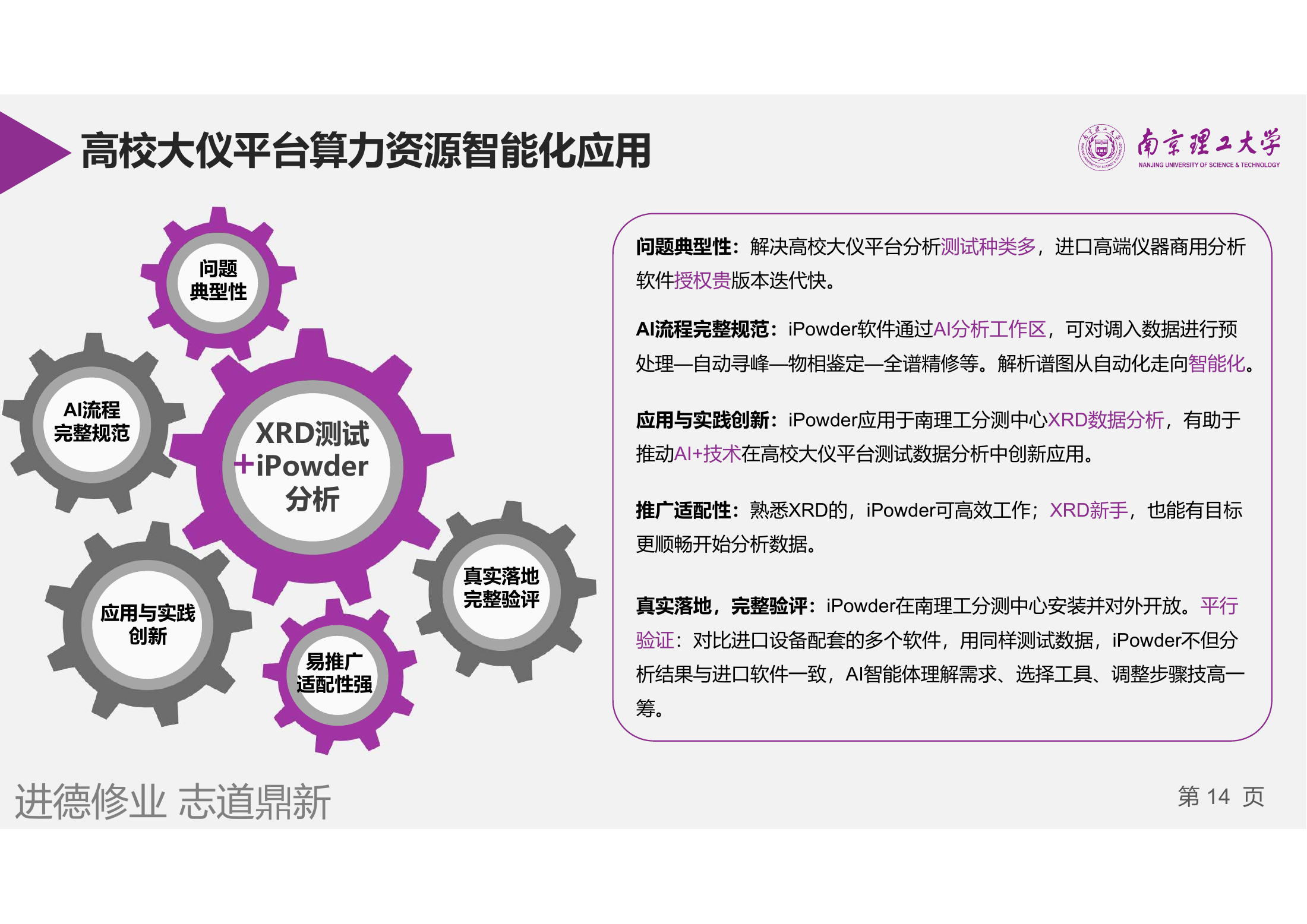
Evaluate phases, quantification, microstrain and stress through comparisons with established software.
AI organizes preprocessing, peak finding, identification and refinement; scientific tools compute the numerical results.
iPowder is installed in the center’s laboratory and runs on the NJUST shared instrumentation platform.
The NJUST Analysis and Testing Center has begun using iPowder for undergraduate teaching. Simplified workflows, AI assistance and natural-language guidance make scientific XRD tools easier to use while retaining inspectable computations.
Help students perform real analysis and understand the process.Teaching is supported by scientific evaluation and comparison with established instrument software.
Automation and natural-language guidance help students understand parameters, steps and analysis goals.
Connect patterns, calculations and reports for classroom discussion, result checks and method learning.
These figures describe the center’s teaching context, not iPowder download counts or measured analysis speed. Undergraduate teaching has begun.
The center’s practice archive contains XRD data and analysis project files. Choose suitable data and models for your task, then practice and compare results.
253 files covering profile fitting, Rietveld refinement, size–strain analysis, quantitative analysis and crystallinity. Formats include RAW, XY, CIF, INP and STR. Some are project or result files for other software; use them with compatible tools.
Choose a task to understand the data input, analysis process and result presentation.
Extract the archive and choose by folder and format. Not every video corresponds directly to files in the archive.
Review patterns and results against the sample, measurement conditions and model. Do not transfer case parameters directly to other samples.
Feature comparisons, agreement checks and teaching adoption together illustrate the value of this application case.
Source: practical application and evaluation materials supplied by the NJUST Analysis and Testing Center, together with teaching adoption information.