iPowder features

From a diffraction pattern
to a complete structural analysis.

An integrated platform for processing, identification, crystallography, Rietveld refinement, residual stress, 2D diffraction, neutron magnetic structures and AI-assisted analysis.

Experienced users can work directly with scientific tools. Beginners can also use AI Chat and natural language to ask questions and analyze data without first memorizing every menu, parameter and procedure.

Scientific capability with a lower learning barrier.
Professional XRD analysis, simpler than ever.

Some features are still being developed. Availability depends on the released version.
01–03

Basic analysis

Prepare data, find peaks and identify phases.

01

Data import & Preprocessing

Start with reliable data.

Raw and processed patterns · Illustration
Illustration Raw and processed patterns (illustrative data)
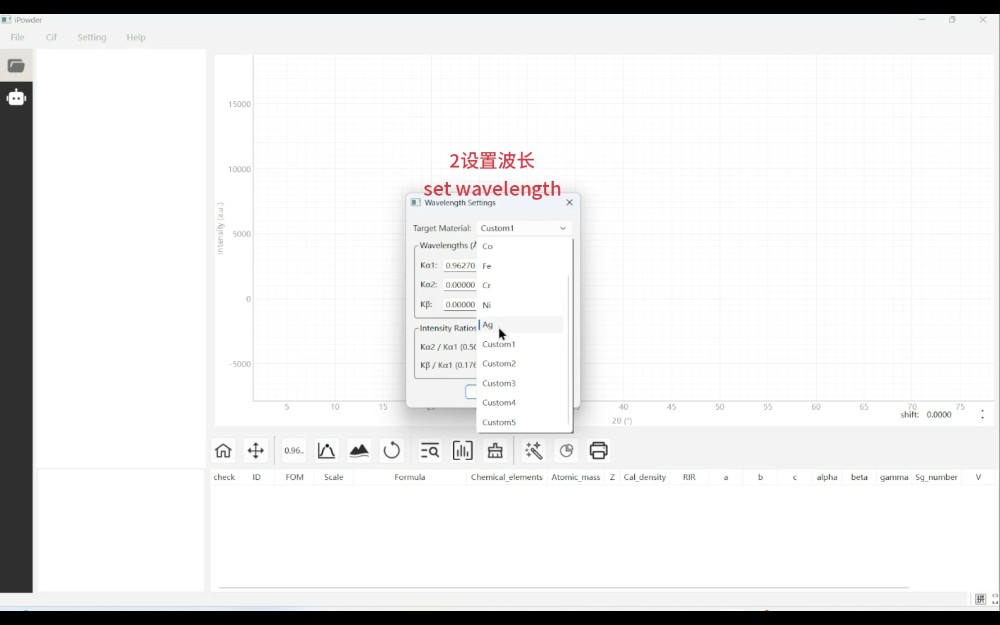
iPowder data import demonstration image▶ Watch the demonstration
Software recording · Data import
Explore feature details and AI assistance

Import common XRD formats, manage multiple patterns and process batches to build a reliable basis for analysis.

Import & Manage

  • Import multiple XRD datasets
  • Overlay and compare patterns
  • Crop data and convert formats

Pattern preprocessing

  • Background subtraction
  • Data smoothing
  • Intensity normalization
  • Outlier handling

Corrections & Batches

  • Kα₂ treatment
  • Zero-offset and peak-position corrections
  • Batch preprocessing
AI assistance

AI can help beginners select preprocessing steps from data characteristics and understand their purpose.

02

Intelligent peak finding & Profile analysis

Identify meaningful diffraction peaks in complex patterns.

Peak detection and position markers · Illustration
Illustration Peak detection and position markers (illustrative data)
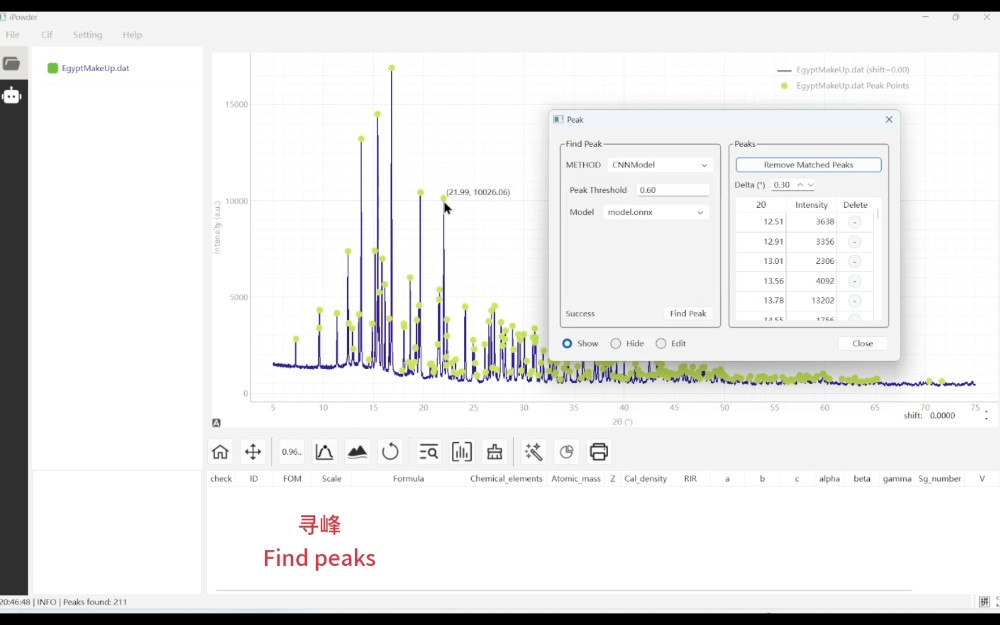
iPowder peak-finding demonstration image▶ Watch the demonstration
Software recording · Peak finding
Explore feature details and AI assistance

Extract peak information

  • Automatic peak detection
  • Extract positions, heights and integrated intensities
  • FWHM analysis

Peak-finding methods

  • CNN-based deep-learning peak finding
  • DoubleQ peak finding
  • Identify and filter Kα₂ peaks

Fitting & Batches

  • Peak-profile fitting
  • Batch peak finding across patterns
AI assistance

Ask about the current pattern without mastering every peak-finding parameter first.

“Why was this peak not detected?”
“Is this a Kα₂ peak?”
“Find the main diffraction peaks in these data.”
03

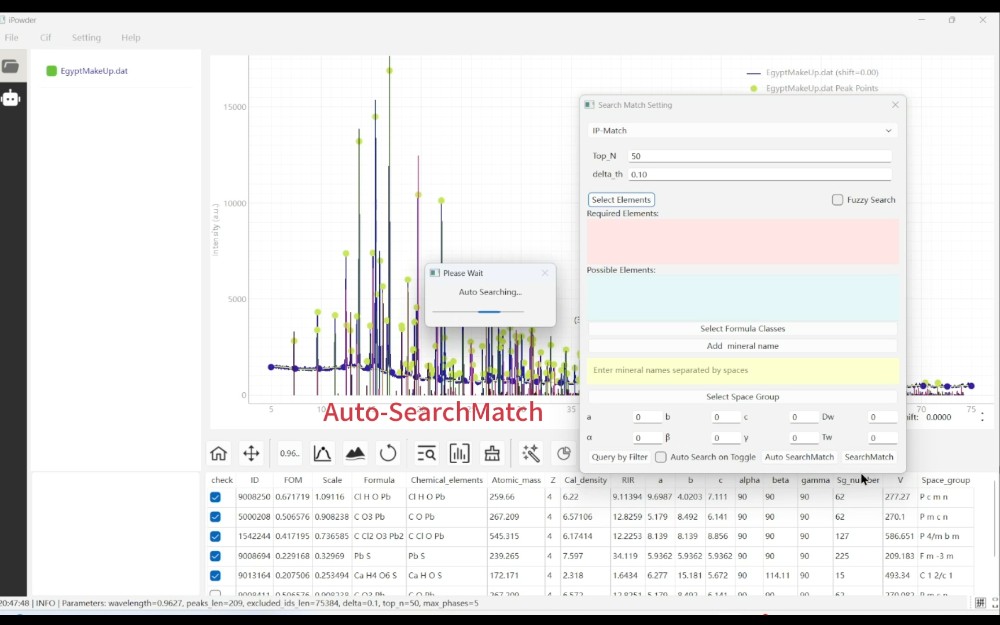
Automatic phase identification

From search–match to automatic multiphase analysis.

Match an experimental pattern with reference peaks · Illustration
Illustration Experimental and reference peak matching (illustrative data)
iPowder phase-search demonstration image▶ Watch the demonstration
Software recording · Phase search
Explore feature details and AI assistance

Extend conventional phase search to automatic analysis of complex mixtures, linking candidates with structural models.

Automatic search & Phase combinations

  • Single-phase / Multiphase search–match
  • DecisionTree automatic search
  • IP-Match automatic multiphase analysis
  • Evaluate likely phase combinations automatically
  • No preset number of phases required

Candidates & Structural models

  • Rank candidate phases automatically
  • Compare experimental and reference patterns
  • Link with crystal structure databases
  • Connect CIF structure models automatically
AI assistance

State your analysis goal and let iPowder call phase-search tools and explain the evidence for candidates.

“Which phases might this sample contain?”
04–06

Structures & Refinement

From crystallographic information to full-pattern refinement, phase fractions and trends.

04

Crystallographic analysis

From diffraction peaks to crystal structures.

Unit cells, atomic positions and structural models · Illustration
Illustration Unit cells, atomic positions and structural models (illustrative data)
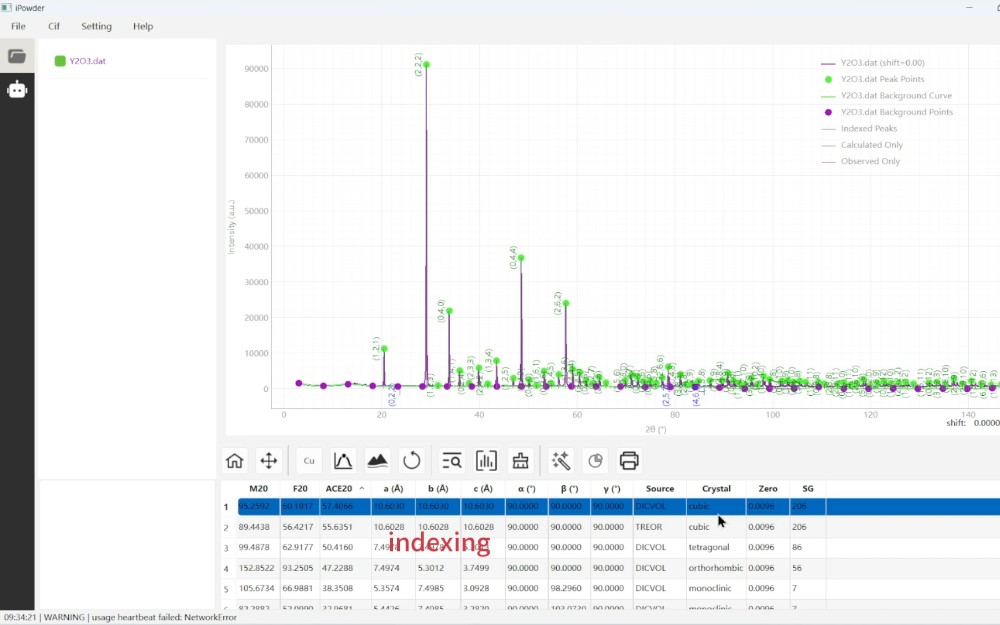
iPowder indexing demonstration image▶ Watch the demonstration
Software recording · Indexing
Explore feature details and AI assistance

Unit cells & Symmetry

  • Indexing
  • Unit-cell parameter analysis
  • Space groups and crystallographic information

Manage structure models

  • Read CIF files
  • Manage crystal structure models
  • Check structure parameters

Calculations & Visualization

  • Calculate theoretical diffraction patterns
  • Compare experimental and calculated patterns
  • Crystal structure visualization
AI assistance

Use current data to explain unit cells, space groups and Miller indices, helping beginners understand results.

05

Rietveld whole-pattern refinement

From manual parameter tuning to automated refinement.

Experimental and calculated patterns with fit inspection · Illustration
Illustration Experimental and calculated patterns with fit inspection (illustrative data)
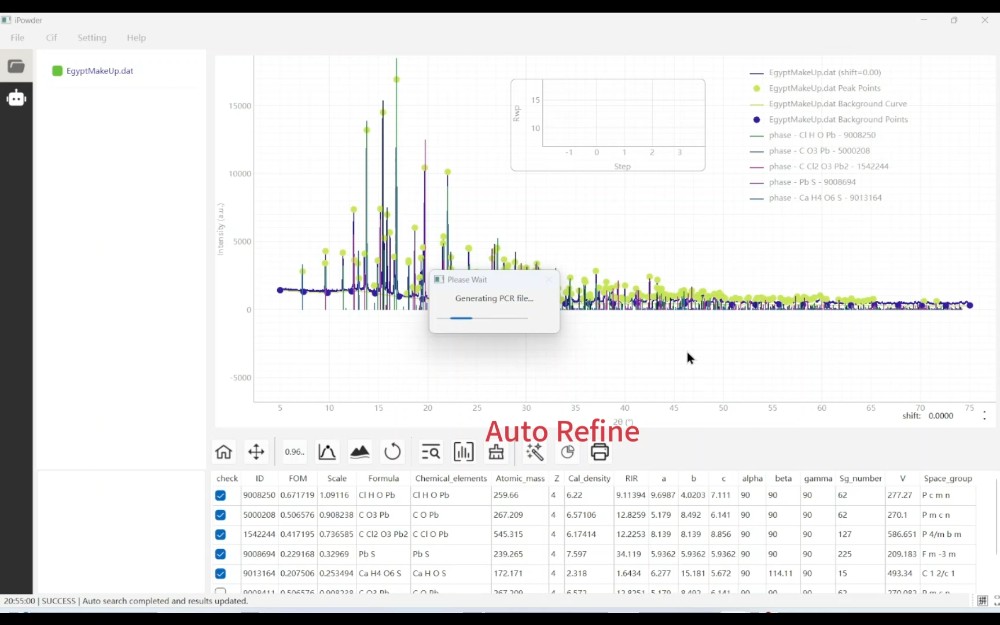
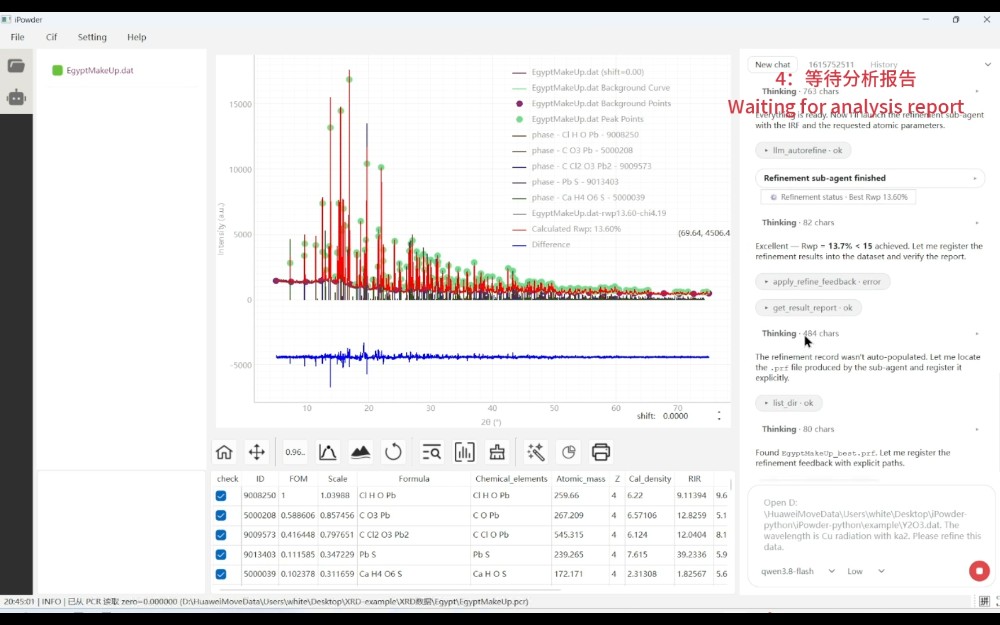
iPowder automatic refinement demonstration image▶ Watch the demonstration
Software recording · Automatic refinement
Explore feature details and AI assistance

Rietveld refinement often involves extensive setup and iteration. iPowder combines established computational engines with automation while preserving direct control over individual parameters.

Inputs & Models

  • Generate refinement input automatically
  • Build multiphase models

Scientific parameter refinement

  • Background refinement
  • Zero-offset refinement
  • Unit-cell parameter refinement
  • Peak-profile refinement
  • Atomic-position refinement
  • Occupancy refinement
  • Displacement-parameter refinement

Automation strategies

  • Automatic parameter release
  • Manage parameter groups
  • Sequential Refinement
  • Tree Search automatic refinement

Results & Diagnostics

  • Multiphase quantitative analysis
  • Track Rwp, Rp and χ²
  • Inspect difference patterns
  • Export refinement results
AI assistance

AI interprets questions and organizes refinement; scientific algorithms perform the calculations.

“Which parameter should I refine next?”
“Why has Rwp stopped improving?”
“Why is this peak in the difference pattern not fitted well?”
06

Quantitative analysis

Determine not only what is present, but how much.

Compare phase fractions across samples · Illustration
Illustration Phase fractions across samples (illustrative data)
Explore feature details and AI assistance

Phase fractions & Statistics

  • Multiphase quantification
  • Calculate phase fractions
  • Refinement result statistics

Batch comparisons & Trends

  • Compare quantitative results across samples
  • Track parameters against time, temperature or processing conditions
  • High-throughput sample quantification

Compare samples for research platforms, industrial quality analysis and materials screening.

07–11

Advanced analysis

Stress, texture, 2D diffraction, structure solution and neutron magnetic structures.

07

Residual stress analysis

Connect diffraction data with stress results for engineering materials.

Lattice spacing versus sin²ψ · Illustration
Illustration Lattice spacing versus sin²ψ (illustrative data)
Explore feature details and AI assistance

Data & Strain

  • Extract peak positions automatically
  • Calculate d-spacings
  • Strain analysis
  • Process multiple ψ / φ datasets

Stress calculation & Output

  • sin²ψ stress analysis
  • Stress fitting
  • Error analysis
  • Batch stress calculations
  • Export curves and data
AI assistance

Use standard operations or ask AI to help assess settings and the reasonableness of results.

08

Texture & Orientation analysis

Understand preferred orientation and texture.

Orientation intensity in a pole figure · Illustration
Illustration Orientation intensity in a pole figure (illustrative data)
Explore feature details and AI assistance

Pole figures & Data processing

  • Process pole-figure data
  • χ–φ–Intensity analysis
  • Pole figures for selected crystal planes

Comparison & Visualization

  • Compare polycrystalline orientations
  • Texture intensity analysis
  • Orientation visualization

Future extensions Advanced features such as ODF analysis.

09

2D XRD data processing

From detector images to diffraction data for analysis.

From diffraction rings to a 1D pattern · Illustration
Illustration From diffraction rings to a 1D pattern (illustrative data)
Explore feature details and AI assistance

Extend beyond 1D patterns to 2D detector data for micro-XRD, in situ experiments and area-diffraction applications.

Read & Calibrate

  • Read 2D diffraction images
  • Detector geometry calibration
  • Beam-center correction

Masks & Image inspection

  • Configure masks
  • Mask bad pixels and regions
  • Display Debye rings

Integration & Conversion

  • Azimuthal integration
  • 2D → 1D conversion
  • Integrate selected χ regions
  • Compare integrations from multiple regions

Automatic processing

  • Automatic area-detector data processing
10

Crystal structure solution

Explore candidate crystal structures for complex structural problems.

Candidate search and evaluation workflow · Illustration
Illustration Candidate search and evaluation workflow (illustrative data)
Explore feature details and AI assistance

Initial conditions & Search

  • Input initial cell and space group
  • Search crystal structure models
  • Genetic-algorithm structure optimization

Evaluation & Candidates

  • Evaluate whole-pattern fits
  • Rank candidate structures
  • Assist structure-model construction from powder diffraction data

Extend routine processing into crystal structure analysis, supporting model construction and evaluation.

11

Neutron diffraction magnetic structure analysis

Analyze magnetic structure models using neutron diffraction data.

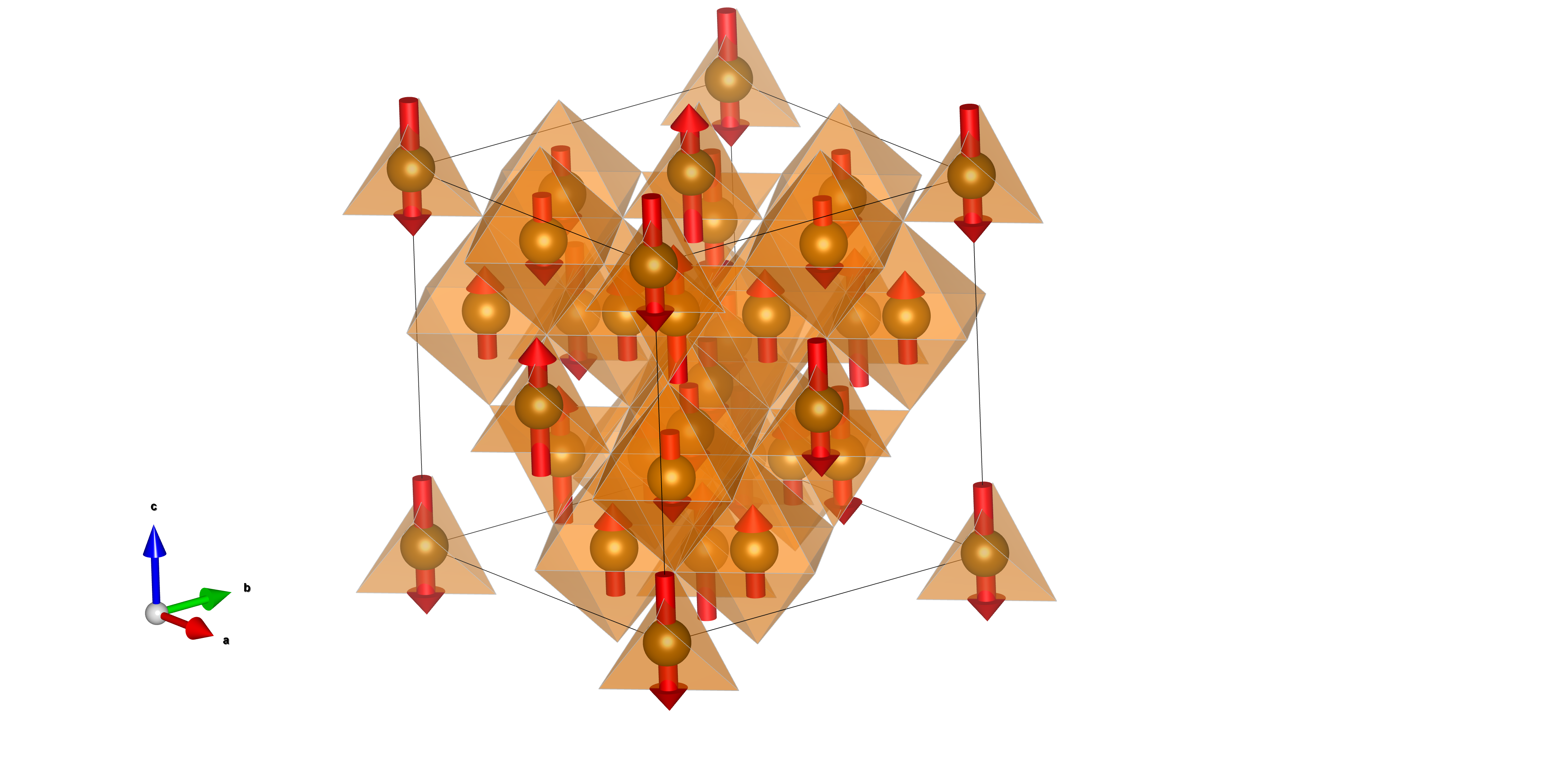
Ferrimagnetic order in inverse-spinel Fe₃O₄: magnetic moments at tetrahedral and octahedral sites
Fe₃O₄ magnetic structure Ferrimagnetic ordering in the inverse-spinel structure of magnetite
Explore feature details and AI assistance

Integrate magnetic structure analysis with model setup, parameter analysis, pattern comparisons and output.

Models & Parameters

  • Configure and analyze magnetic structure models
  • Analyze and refine magnetic parameters

Results & Comparisons

  • Compare experimental and calculated patterns
  • Inspect and export magnetic structure results
12–13

AI intelligence

Natural-language interaction supported by domain knowledge.

12

AI Chat: analyze by asking

Start with a scientific question, then organize the analysis.

Natural language to scientific tool calls · Illustration
Illustration Natural language to scientific tool calls (illustrative data)
iPowder AI Agent analysis demonstration image▶ Watch the demonstration
Software recording · AI Agent analysis
Explore feature details and AI assistance

Natural language is another entry point to scientific analysis. Tell iPowder what you want to learn and let AI help with the workflow.

Which phases are in this sample? Continue with Rietveld refinement. Why is this peak not fitted well? Check whether a phase is missing. Compare unit-cell parameters across these samples.

Interpret & Execute

  • Understand the analysis goal
  • Select appropriate scientific tools
  • Call processing and computational modules

Advance & Explain

  • Continue based on intermediate results
  • Check analysis results
  • Interpret results using domain knowledge

Especially helpful for beginners

Learn XRD methods while analyzing real data and asking questions, without first mastering every menu and parameter.

Tell iPowder what you want to learn, then let AI help with the analysis.
13

Scientific databases & Knowledge resources

Ground natural-language analysis in scientific evidence.

Databases, knowledge and algorithms working together · Illustration
Illustration Databases, knowledge and algorithms working together (illustrative data)
Explore feature details and AI assistance

iPowder AI combines scientific databases, knowledge, analysis rules and computational tools rather than simply connecting a general-purpose model.

Databases & Structures

  • Crystal structure databases
  • CIF structure information

Knowledge & Analysis rules

  • Phase-analysis knowledge
  • Rietveld refinement knowledge
  • XRD analysis rules
  • Common diagnostic rules
  • Software operation knowledge

Scientific computational tools

  • Scientific computational tools
Language models Scientific databases Domain knowledge Deterministic computational algorithms

AI interprets questions, organizes workflows and explains results. Scientific algorithms perform XRD computations, providing an explicit computational basis and reproducibility.

14–16

High throughput & Lab integration

Batch processing, result output and instrument connectivity for complete workflows.

14

Batch & High-throughput analysis

Scale from one pattern to hundreds or thousands.

Compare patterns and sample batches · Illustration
Illustration Compare patterns and sample batches (illustrative data)
Explore feature details and AI assistance

Reduce repetitive work and improve large-dataset processing for university facilities, materials screening platforms and industrial laboratories.

Batch import & Preparation

  • Import multiple files
  • Batch preprocessing

Automatic analysis

  • Batch peak finding
  • Batch phase identification
  • Batch Rietveld refinement

Summarize & Compare

  • Batch parameter extraction
  • Automatic result summaries
  • Compare sample trends
  • High-throughput experimental data analysis
15

Analysis results & Reports

Make results readable and reusable.

From analysis data to deliverables · Illustration
Illustration From analysis data to deliverables (illustrative data)
Explore feature details and AI assistance

Scientific analysis results

  • Diffraction patterns
  • Peak lists
  • Phase identification results
  • Unit-cell parameters
  • Refinement parameters
  • Phase fractions
  • Stress results

Exports & Analysis records

  • Export images
  • Export tables
  • Record analysis steps
  • AI-assisted result explanations

Planned improvements Automatically generate analysis reports.

16

Instrument connections & Autonomous laboratories

From data analysis to experimental automation and feedback.

Measurement, analysis, evaluation and the next experiment · Illustration
Illustration Measurement, analysis, evaluation and the next experiment (illustrative data)
Explore feature details and AI assistance

Connect instruments, experimental tasks and analysis through APIs, scheduling and AI Agents to build experimental loops.

Link measurement with analysis

  • Receive XRD instrument data automatically
  • Trigger analysis after measurement
  • Run scientific workflows automatically
  • Return analysis results automatically

Task planning & Experimental feedback

  • Coordinate instrument and analysis status
  • AI Agent task planning
  • Use results to guide the next experiment
MeasureMeasure AnalyzeAnalyze EvaluateEvaluate DecideDecide Measure AgainMeasure again

Develop iPowder into an intelligent XRD analysis and decision hub for autonomous laboratories.

Explore autonomous laboratories →
For Every XRD User

More accessible for beginners.
More efficient for experts.

For beginners

Learn through questions and analysis

Begin without mastering complex menus and settings. AI helps you operate tools and understand methods during actual analysis.

“How should I analyze these data?”

“What should I do next?”

“What does this result mean?”

For experienced users

Reduce repetition and focus on scientific questions

Spend less time on repeated operations and setup, and more on samples, structures and interpretation.

  • Use scientific analysis tools directly
  • Control refinement parameters and workflows
  • Improve efficiency with batches and AI

One set of scientific algorithms, two ways to work

Conventional graphical interface AI natural-language interaction
Experts work more efficiently; beginners get started more easily.